Mail. Managing the module
This article is a continuation of How to deploy a mail server with BeAdmin. It does not repeat installing the module or the first sign-in to mail: if you have not gone through the quick start yet, begin there. Here you will find how to manage the module itself: starting, stopping, and restarting the service, reloading settings, updating packages, module settings (the sending hostname), reissuing the SSL certificate, reinstalling and removing the module, and managing Roundcube. Mailboxes, aliases, and domains are covered in a separate article, Mail. Mailboxes, aliases, and domains.
How the module works
The module puts two services on the server: Exim receives and sends mail, and Dovecot stores it and lets users into their mailboxes over IMAP and POP3. The data about domains, mailboxes, and aliases lives in MariaDB, while the emails themselves are on the server's disk. Roundcube is different: it is a separate service that is installed and removed independently of the module and does not handle mail delivery itself.
A few things follow from this. While the service is stopped, mail is not accepted, and mail clients and Roundcube cannot sign in to mailboxes. If you remove MariaDB, mail stops working, because without the database the server knows neither the mailboxes nor the passwords. And installing or removing Roundcube does not affect sending or receiving mail.
Managing the service
You can start, stop, and restart the service in the header of the module page, and reload the settings in the actions menu in the same place. Here is what happens to mail with each action:
- Starting turns Exim and Dovecot on after a stop.
- Stopping turns both services off: mail is neither received nor sent, and mail clients and Roundcube lose their connection to the server. The emails already in the mailboxes are kept.
- Restarting stops the services and immediately starts them again. Open connections, including those of mail clients, are dropped, and clients have to reconnect. Restarting helps when the service hangs.
- Reloading settings applies new settings without stopping, so connections are not dropped. It is available only while the service is running, and you need it after editing the Exim or Dovecot settings by hand on the server.
⚠️ Stopping the service stops mail
While the service is off, mail is not accepted, and mail clients and Roundcube return connection errors. Stop the service when you do not need mail.
Updating packages
An update replaces the Exim and Dovecot packages with newer versions from the system's repository. It matters, among other things, for security fixes: they are released within one version too, and such a fix counts as an update as well. The panel first checks whether there is a new version: if not, it reports that the latest version is installed. If there is, the update starts, and the service restarts automatically afterwards, so open connections are briefly dropped. Your emails and settings are kept. You can follow the update in the module's command log.
Module settings
Make sure that the name the mail server identifies itself with when sending mail (HELO) matches the PTR record of the server's IP address. Receiving servers compare the two, and if there is no PTR record or the name does not match it, Gmail and other mail services reject the emails or send them to spam.
Usually it is enough to set up a PTR record for the server's IPv4 address and leave the "Sending hostname (HELO)" field empty. The field is in the module settings: open them with "Module settings" in the actions menu. If the server has an IPv4 address, outgoing mail goes out through it, so the PTR record is needed for exactly that address. It is set at the server's hosting provider, not in the domain's DNS; how to create it is described in the PTR record section of How to configure DNS records for a mail server. While the field is empty, the name is taken from the PTR record or, if there is none, from the mail server address, so once the PTR record is set up, the name matches it automatically.
A custom name is useful in rare cases:
- the IP address has several PTR names, and the first one is picked automatically, while you need another;
- the server must always give the same name, even if DNS does not respond.
Enter a fully qualified domain name, for example mail.example.com: it must match the PTR record of the server's IPv4 address, otherwise the setting serves no purpose. To return to automatic selection, clear the field. The new name takes effect without stopping mail.
Reissuing the SSL certificate
If the mail server runs on a self-signed certificate, the panel offers to issue a Let's Encrypt certificate on the "Mail" page: click "Reissue", and the module does not need to be reinstalled. Before issuing, make sure the A record for the mail server address points to the server's IP address and has already updated (how to create it), and that port 80 of the server is reachable from the internet. If the certificate could not be issued, the panel names the reason; how to fix it is covered in Resolving ACME errors when issuing an SSL certificate. If no mail server address was set during installation, the certificate appears once you set the address by reinstalling the module.
Reinstalling the module
Reinstalling runs the module installation again on top of the existing data: domains, mailboxes, and aliases stay, because they are kept in a database that the installation does not recreate. You need it if the service does not start, the settings are corrupted, or you have to set or change the mail server address. After reinstalling, the service restarts automatically.
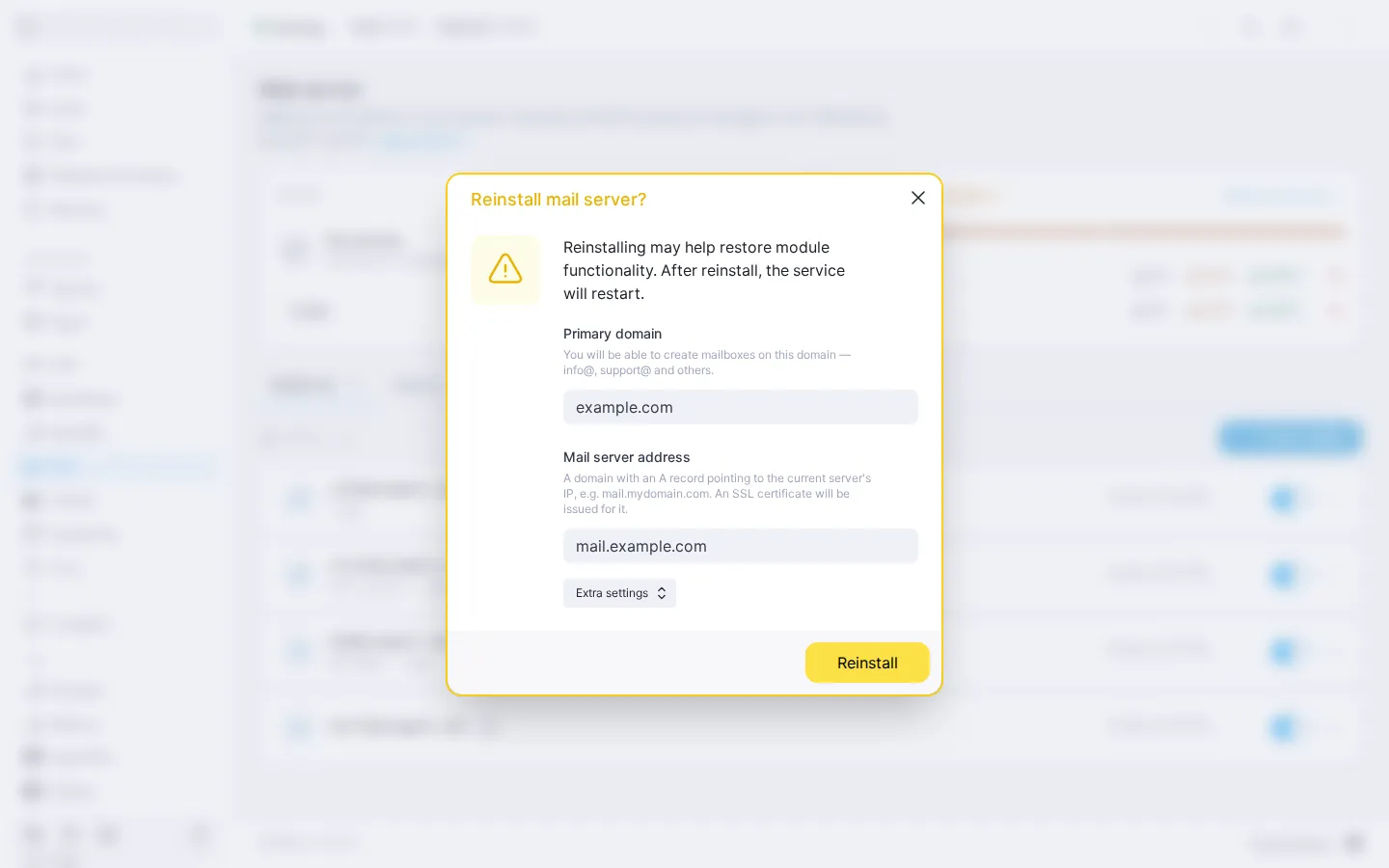
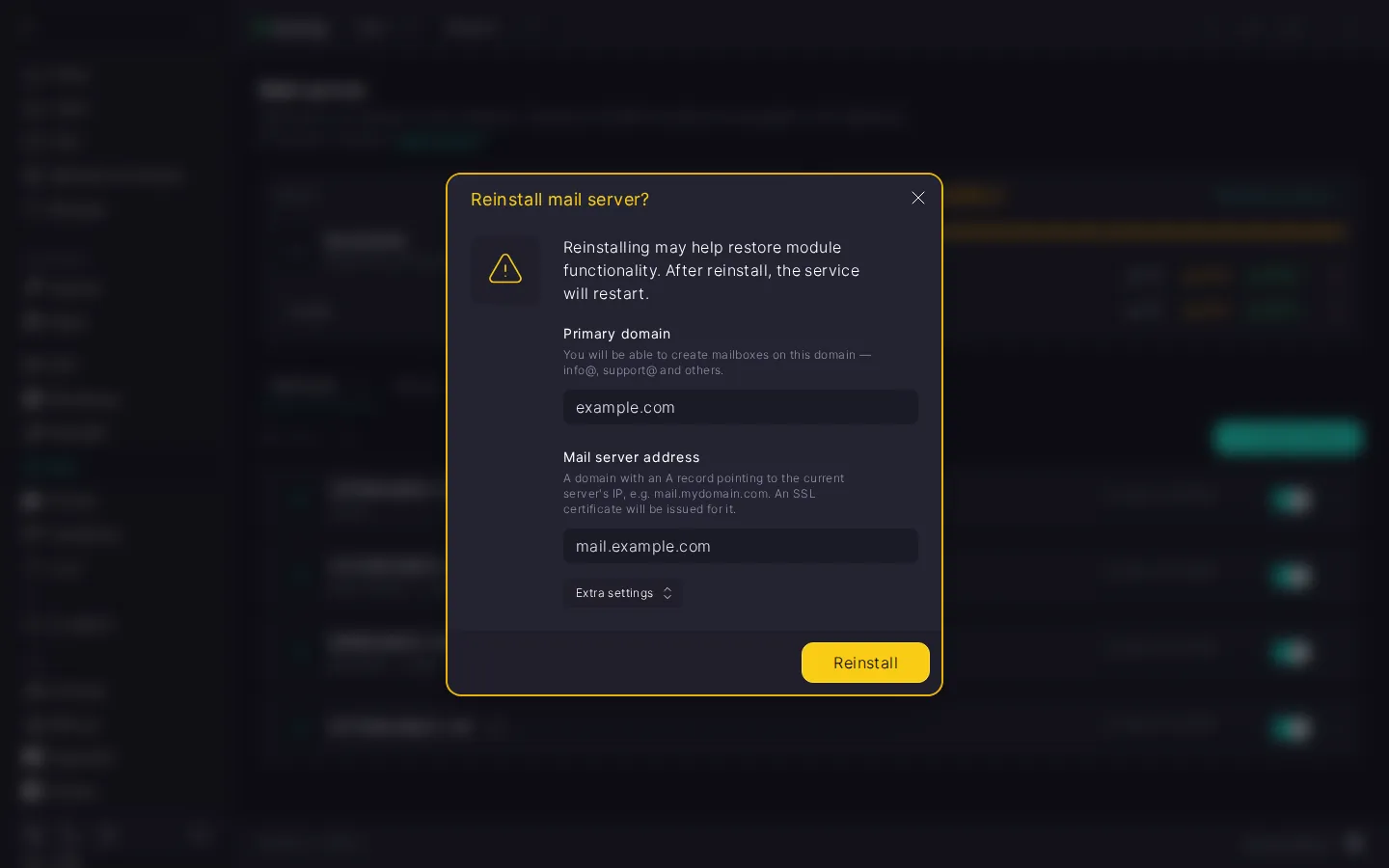
Reinstall dialog fields
The dialog has the same fields as the first installation, but the values are filled in with defaults, not with the previous ones. Check them before you start:
- "Primary domain" — the domain the mail server address is tied to. The field holds the first domain among those connected to mail. Change it only if you really want to tie the server to another domain: the new domain connects to mail and appears in "Websites & Domains", while the other domains and their mailboxes stay as they are.
- "Mail server address" — the address mail clients use to connect to the server and the one a Let's Encrypt SSL certificate is issued for. It must be the same as the primary domain or one of its subdomains. If no address was set during installation, fill in the field now: the reinstall requests a certificate. Before that, create an A record at your registrar pointing this address to the server's IP address: until the record points to the server, the certificate is not issued, and the server keeps running with a self-signed one. Once the record works, reissue the certificate.
- "Dovecot database password" under "Extra settings" — the password of the MariaDB service user through which Dovecot works with the database. If you leave the field empty, the current password is kept, and if you enter a new one, the panel replaces it both in MariaDB and in the Dovecot settings. Unless you have a reason, there is no need to change it.
⚠️ The mail server address is filled in with a default
In the reinstall dialog, the address is filled in with the default — mail. plus the primary domain — not the one you set before. If you set a different address, enter it again: otherwise, after the reinstall the server switches to the default address, and you will have to reconfigure your mail clients.
Removing the module
Removing the module takes Exim and Dovecot off the server, so mail stops working: it is neither received nor sent, and the mailboxes are unavailable to mail clients. Roundcube, if installed, is removed together with its users' settings and address books.
Mailboxes, aliases, and emails stay by default and come back when you install the module again. Until then, do not remove the MariaDB module: everything you kept would go with it. If you no longer need mail on this server, turn on "Delete mailboxes and emails" when removing: they are deleted together with the module, and the next installation starts from scratch.
DKIM keys are removed in any case, so after installing again you need to replace the domain's DKIM record in DNS. How to do that is described in the DNS records section.
‼️ Deleting mailboxes and emails is irreversible
Deleted mailboxes, aliases, and emails cannot be restored. If they matter to you, make a backup before removing.
Managing Roundcube
Roundcube lives alongside the module and is managed separately: installing, reinstalling, and removing it affect neither the mail server nor the domains, mailboxes, and aliases. How to install Roundcube is described in the Installing the Roundcube web client section.
If Roundcube does not open, look at the "Roundcube" block:
- If the block says "Reinstall required", Roundcube is installed but the suitable PHP version has disappeared from the server: for example, it was removed in the PHP module. Roundcube cannot work without it. To get Roundcube working again, click "Install PHP". You cannot reinstall Roundcube in this state; only removing is available.
- If the block says "Unavailable", there is no suitable PHP version for your system at all. Roundcube cannot be installed on such a server, but you can still use mail through mail clients.
- If PHP is fine but Roundcube still does not open, try reinstalling it: a reinstall may help restore it.
Here is what happens to Roundcube with each action:
- Reinstalling runs the Roundcube installation again. As long as its database is in order, the users' settings and address books are kept. If the database is corrupted, the reinstall creates it anew, and that data is lost. The panel shows the progress of the reinstall in the log and returns you to where you were when it finishes.
- Removing takes Roundcube off together with its database, that is, with its users' settings and address books. The mail server keeps running, and the mailboxes stay available to mail clients. You can install Roundcube again at any time, but the settings and address books cannot be restored.
What's next
- Mail. Mailboxes, aliases, and domains — creating mailboxes and aliases, catch-all, connecting a domain to mail, and DNS records.
- Mail. Connecting a mailbox to a mail client — IMAP and SMTP settings and guides for mail clients.
- How to deploy a mail server with BeAdmin — installing the module and the Roundcube web client.
- How to configure DNS records for a mail server — the full set of records: A, MX, SPF, DKIM, DMARC, PTR.